Not a patch installer.
A control plane.
OpsGuard decides which system gets patched when, in what order, and how safely — then verifies the outcome with evidence. It doesn't replace your existing automation investment — it adds a layer of decision-making, safety, and proof on top of it.
OpsGuard Control Plane
Decision-making and governance live in OpsGuard; execution is a swappable layer.
Single Pane
Dashboard, MSP portal, compliance center — operations and management on the same screen.
Inventory & Risk Engine
Inventory, patch intelligence, vulnerability data, and risk scoring.
Policy & Approval
Guardrails, approval workflow, maintenance planning.
Execution Layer
The layer that actually applies the change.
Validation & Evidence
Health checks, audit trail, and a hash-secured evidence pack.
Today, the execution layer runs in production through Ansible/AWX (over SSH/WinRM) — a deliberate choice to protect your existing automation investment. OpsGuard isn't dependent on this engine: decision-making, prioritization, approval, and evidence generation all live entirely in its own layer.
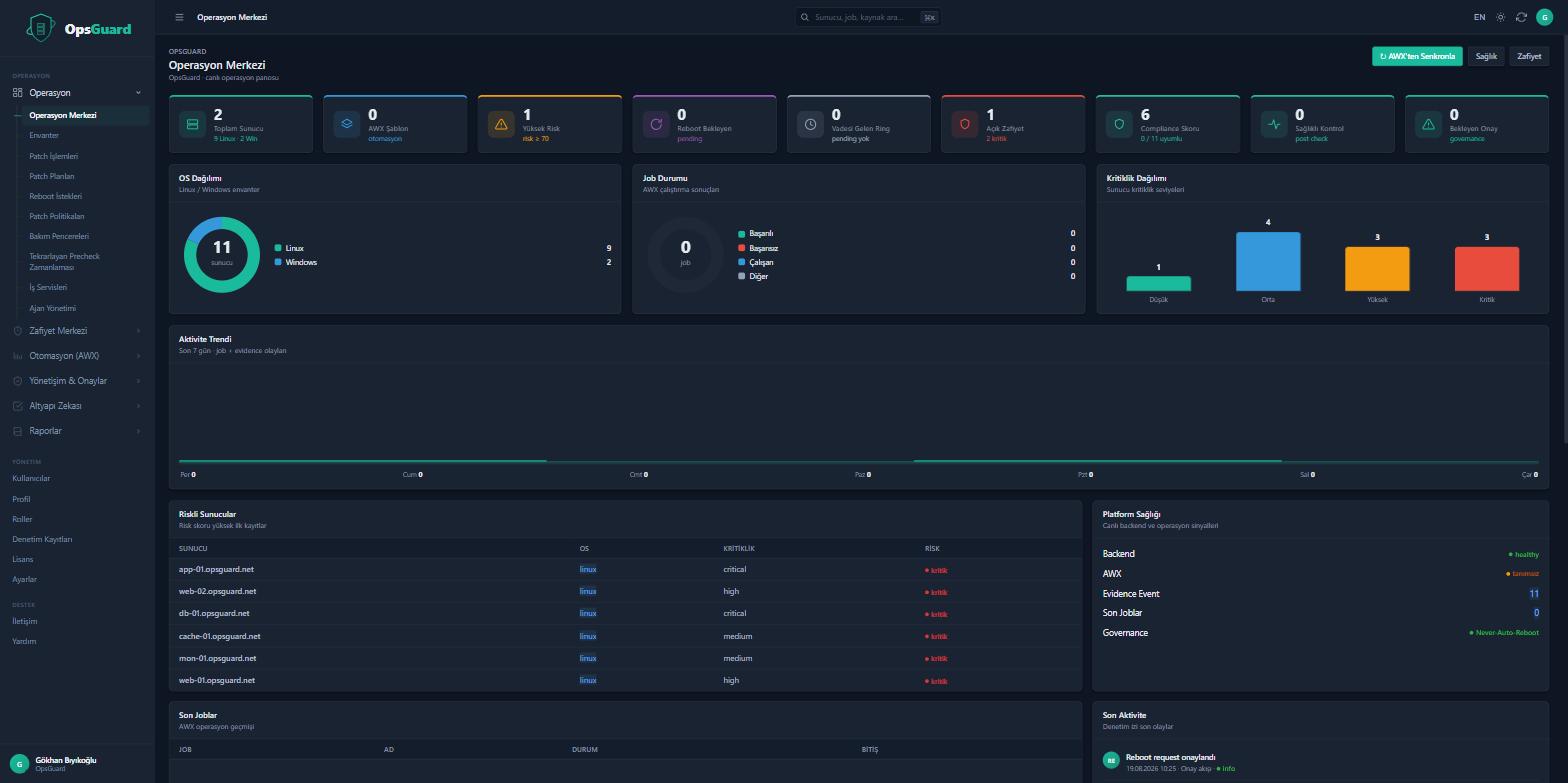
From Discover to Prove: the journey of an operation
Discovery
Servers are automatically inventoried; business roles like web/DB/LB are detected.
Precheck
Disk space, connectivity, repository access, service status, and the real patch/vulnerability gap are scanned.
Risk Score
Vulnerability × criticality × environment × exploit risk = the real prioritization order.
Maintenance Plan
A safe sequence is proposed, taking dependencies and business criticality into account.
Approval
A Requester → Approver → Operator workflow; guardrails block risky scenarios.
Staged Rollout
Test → less-critical → critical, in sequence, wave by wave; if one wave fails, the process stops.
Validation
Services, disk, health, and reboot status are verified; a Confidence Score is generated.
Evidence Pack
A signed, tamper-evident report: who approved what, when, and what the outcome was.
6 capabilities competitors don't offer
Assurance endpoint patching tools can't provide.
A 0-100 score at a glance before every operation, with the reasoning behind it (disk, connectivity, repository, past success rate, service, maintenance window).
A data-driven answer, in seconds, to the question "should I touch this server right now?"
Protects the service, not the server: two nodes of the same service never go down at once, and the primary database is handled separately.
Patch operations never put business continuity at risk — an assurance endpoint tools can't offer.
The system automatically blocks risky decisions: rules like no automatic reboot in production, or a 50% cap on any critical cluster, are enforced in code.
Human error is stopped by the system before it can turn into a policy violation.
At the end of every operation, a tamper-evident report secured with a SHA-256 hash: who approved it, what was checked, and what the outcome was.
Instead of scrambling to produce reports on audit day, you walk in with ready, verifiable evidence.
Automatically turns past failures into patterns: "this error occurred on 14 servers in the last 30 days, root cause X, recommended action Y."
Instead of manually investigating the same failure over and over, the system shows you the root cause.
Vulnerability severity × server criticality × environment × exploit risk × exposure time = the real operational risk ranking.
Beyond the CVSS score: the real answer to "which server should I patch first."
Is a KB genuinely missing, or already superseded?
Instead of flagging hundreds of false or redundant "missing KB" entries on Windows, it shows the real patch status.
Supersedence Detection
Doesn't flag KBs already covered by a newer cumulative update as "missing."
Cumulative Update Awareness
Knows which older fixes a single cumulative update contains.
Effective Patch Level
Shows the server's real, effective patch level — not a pile of KB numbers.
Skipped Patch Periods
Distinguishes skipped maintenance periods from pending-reboot status.
Protect the service, not the server
A service-centric approach, not a host-centric one: OpsGuard knows that a group of servers is really a single business service.
Payment Service
├── Load Balancer
├── API01
├── API02
├── DB01 (primary)
└── DB02 (secondary)
OpsGuard knows that API01 and API02 can't be taken down in the same ring or the same maintenance phase.
The primary/secondary database relationship is preserved — the primary database is never patched before, or at the same time as, the secondary.
Maintenance Planner
Patching isn't scheduled in a blind sequence — it's planned with knowledge of the environment.
Production Status
The Test / UAT / Prod distinction feeds directly into the planning sequence.
Redundancy & Cluster
Cluster membership and redundancy limit how many servers can be taken down at once.
Maintenance Window
Permitted/blocked time windows and reboot policy are applied to the plan automatically.
Application Owners
The relevant service owner is brought into the approval step.
Dependency and business-criticality data feed into approval and prioritization — this isn't a blind, fixed DB→APP sequence, it's a service-aware maintenance plan.
From finding to action: Vulnerability Center
Findings from scanners like Nessus and Wazuh combine with NVD enrichment (CVSS, KEV, severity) in a single center. When a security bulletin (USN/CVE) is published, the system automatically matches it to the servers it affects — down to the package and version. Agentless prechecks don't replace the scanner — they turn what the scanner found into a manageable, trackable action.
A real scenario (anonymized)
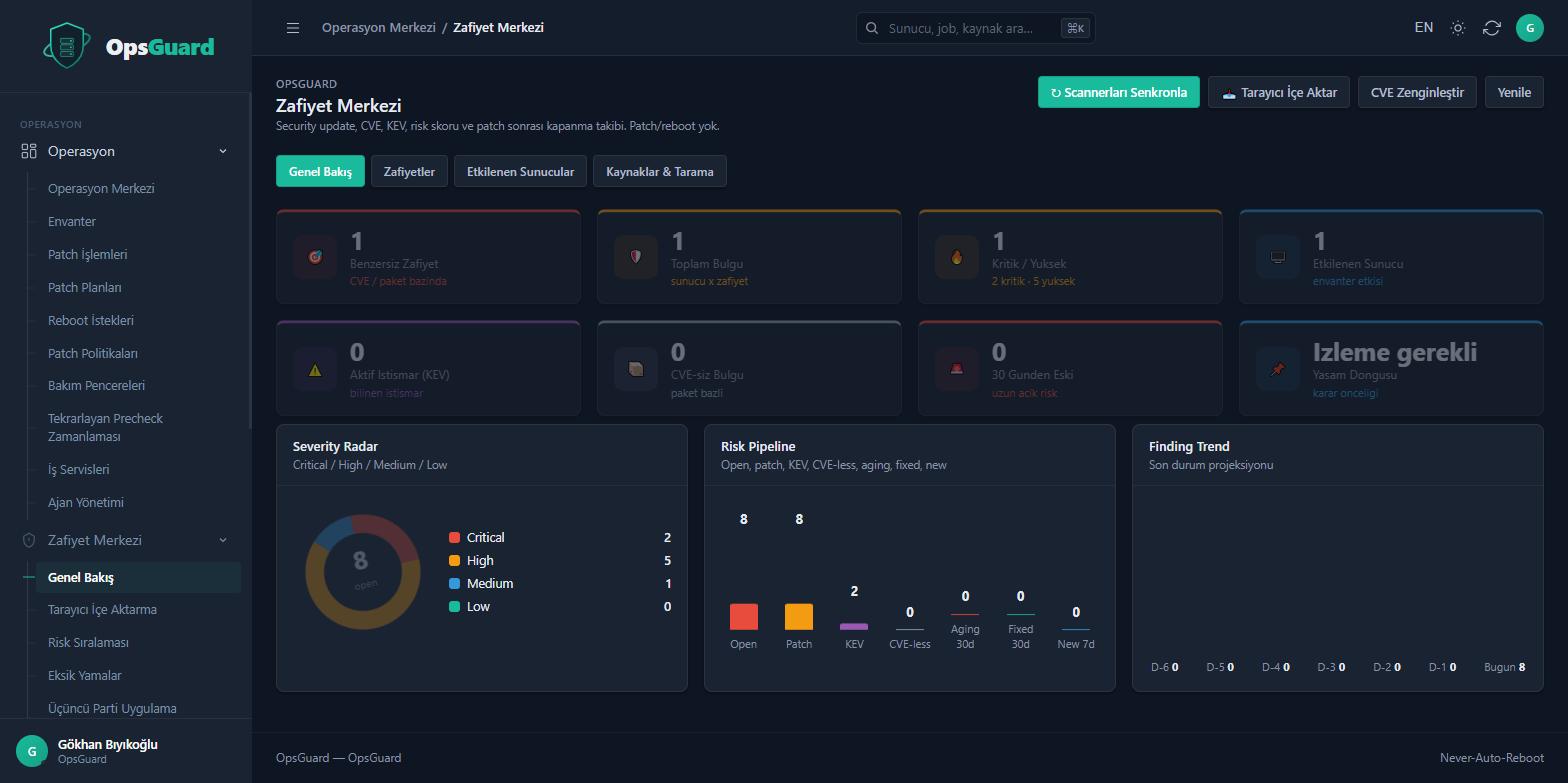
Agent Health Center
Detects known security/management agents such as Defender, CrowdStrike, SentinelOne, Wazuh, and SCCM; reports on installation, service status, version, and conflicts. Being installed doesn't mean being healthy — OpsGuard also verifies heartbeat and service status.
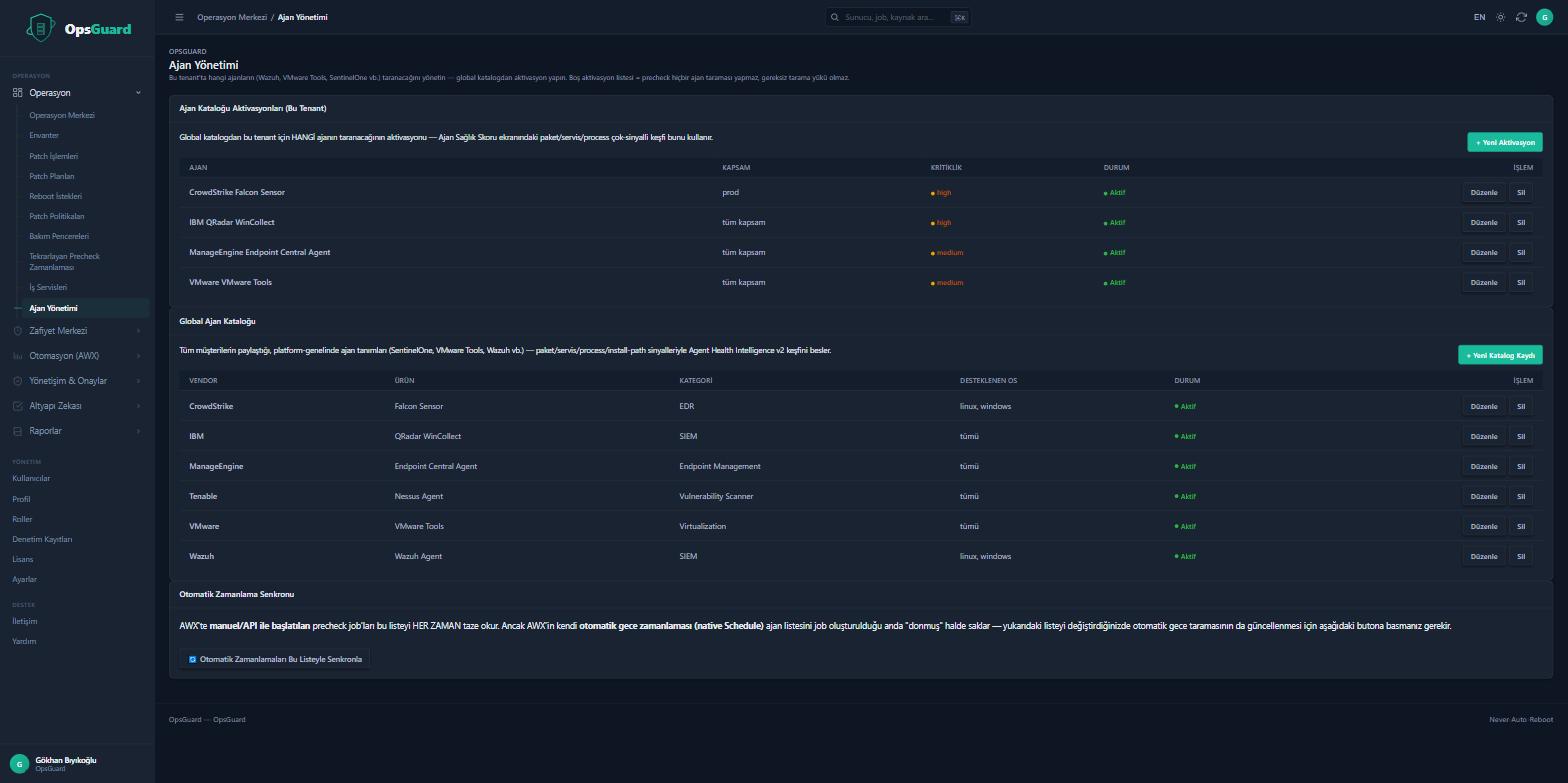
A structure built for regulation
Never-Auto-Reboot
Production servers are never restarted automatically without human approval.
Rule-Based Guardrails
Additional manual approval can be required for critical/primary systems; no more than 50% of a critical cluster can be updated at once.
Ring Deployment
Progresses in sequence from the test environment toward critical production; if a stage fails, the process stops automatically.
Evidence Pack Integrity
Every report is hashed with SHA-256 — an auditor can verify whether it has been altered after the fact.
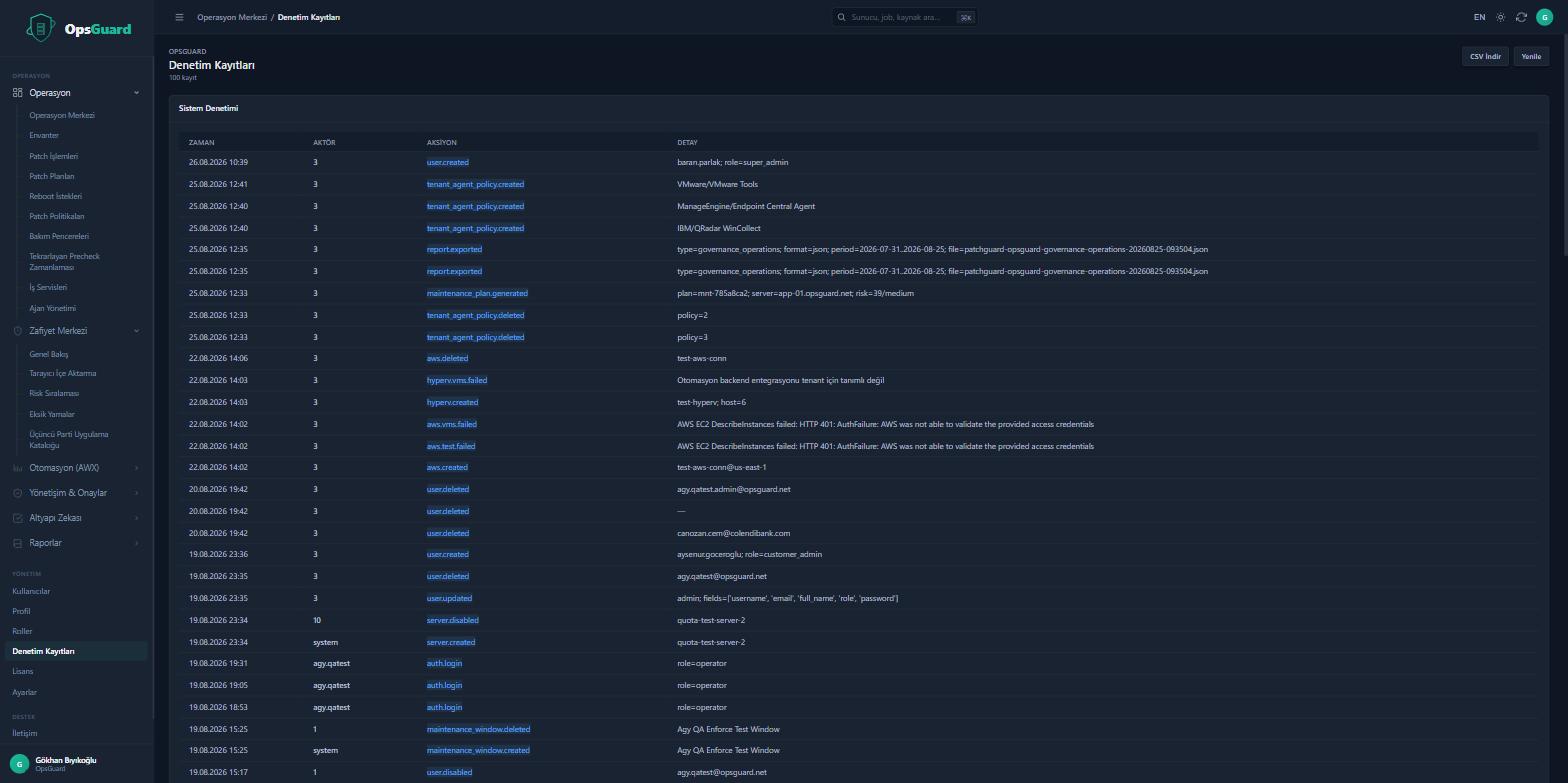
Compliance mapping + evidence automation
OpsGuard helps you map patch governance activities to relevant control requirements and automatically generate operational evidence. It is not a guarantee of any specific certification — it's control mapping and evidence automation.
Validated in real environments
Environments are anonymized for customer confidentiality; a reference call can be arranged on request.
What's Next
The items below are not part of the product today — they represent our vision and development roadmap.
Dependency Map
An interactive map visualizing the relationships across Internet → LB → API → App → DB → external services.
Change Timeline
A timestamped, live event feed of every step within a maintenance window.
AI Operations
AI Patch Advisor, AI Root Cause, AI Maintenance Advisor, AI Change Summary — short, action-oriented recommendations embedded directly in the operation.
Digital Twin
An operational model of host, service, dependency, and vulnerability relationships; a "what happens if I patch this server?" analysis.
MSP Consolidated Dashboard
A top-level console that shows all customers from a single pane — while preserving tenant isolation.
OpsGuard is strong at what it is because it knows what it isn't.
Download the OpsGuard product deck — architecture, core differentiators, and proven scale in one file. (Currently available in Turkish only.)
Patch your servers with confidence.
Try it in your own environment with a 30-day, fully-featured PoC. Installation is a single command; your data stays on your servers.